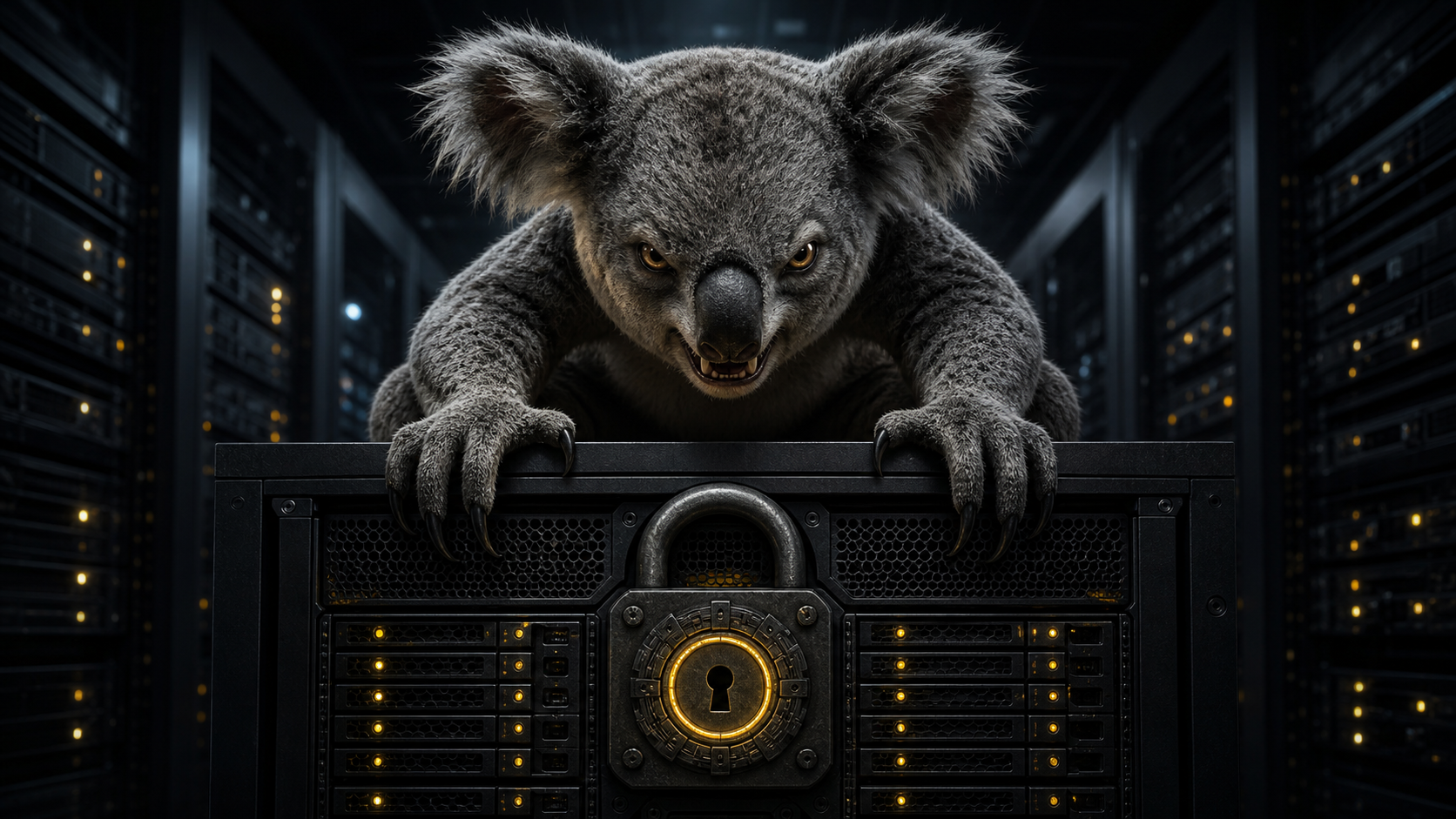
The drop bear guarding the server is fictional. The problem it is guarding against is not.
Full-disk encryption on a server creates an awkward little contradiction.
I wanted the root volume encrypted with LUKS so that taking the disks, or the whole machine, did not also mean taking the data. That worked exactly as intended. It also meant that every reboot stopped at the early boot prompt waiting for somebody to enter the LUKS passphrase.
That is fine when the server is under a desk. It is less fine when it is headless, remote or simply on the other side of a locked door.
My answer was Dropbear, a compact SSH server small enough to run from the initramfs. It brings up the network before the encrypted root filesystem is mounted, accepts a key-authenticated SSH connection and lets me run cryptroot-unlock. Once I enter the LUKS passphrase, the real root filesystem opens and Ubuntu continues booting normally.
This article shows the setup I used on Ubuntu Server 26.04 LTS. It assumes the root volume is already encrypted with LUKS and the machine uses Ubuntu's usual initramfs-tools boot path.
Do not make your first test on a remote machine without working console access. A typo in early-boot networking can turn a routine reboot into a drive to the server.
What Dropbear actually is
Dropbear is a small SSH 2 server and client written for constrained Unix-like systems. It supports OpenSSH public keys, can run as a standalone daemon and can be compiled with unwanted features removed. Its small dependency and memory footprint made it popular on routers and embedded Linux, but the same qualities also make it a very good fit for an initramfs.
There is an Australian connection beyond the name. Dropbear's author is Matt Johnston, an Australian developer based in Perth whose site is hosted by the University Computer Club at the University of Western Australia. The name is a nod to the Australian drop bear: the allegedly vicious cousin of the koala that Australians warn visitors about with an entirely straight face.
On Ubuntu, dropbear-initramfs does not replace the normal OpenSSH server. It installs the pieces needed to build a separate, temporary Dropbear environment into the initramfs. Ubuntu 26.04 packages Dropbear 2025.89 for this purpose in the universe repository.
Why the normal SSH server cannot help
When an encrypted-root machine first starts, most of the operating system is still behind LUKS. /etc/ssh, user accounts, systemd units, firewall rules and the normal OpenSSH daemon are all sitting inside a filesystem the kernel cannot read yet.
The initramfs is different. It is a small temporary filesystem loaded into memory alongside the kernel. It contains just enough tooling to discover storage, load drivers, unlock encrypted devices and mount the real root filesystem.
Adding Dropbear changes the boot path to this:
UEFI / firmware
  -> GRUB loads the kernel and initramfs
  -> initramfs loads the NIC driver and configures an IP address
  -> Dropbear starts and accepts a public-key SSH login
  -> cryptroot-unlock asks for the LUKS passphrase
  -> the encrypted root volume opens
  -> Ubuntu switches to the real root filesystem
  -> the initramfs Dropbear process disappears
  -> normal system services, including OpenSSH, start
That final handover is important. The early SSH server exists only to get the machine across the encrypted-root gap. It is not the SSH service I use after boot.
Before changing anything
I made sure I had all of the following before starting:
- A working fallback console. My plan B was the VM console in vCenter; on physical or hosted hardware, the equivalent might be IPMI, iDRAC, iLO or a hosting-provider serial console.
- A wired Ethernet connection. Wi-Fi in the initramfs is possible, but firmware, authentication and roaming make it a much larger job.
- Either a DHCP reservation or a known static address for the early-boot interface.
- The name of the wired interface, from
ip link. - A second computer from which to test the SSH connection.
- A current backup, because this is boot configuration and optimism is not a recovery plan.
The examples below use port 2222 for the initramfs service. Keeping it separate from the normal OpenSSH port makes the two host identities obvious and avoids confusing entries in known_hosts.
I did not appreciate that choice when I followed the first tutorial I found. "Surely this is unnecessary," I thought. Then I tried using port 22, hit the host-key warning caused by Dropbear and OpenSSH presenting different keys for the same host, and it all became obvious. OpenSSH records host keys by host and port, so [server]:2222 gives the temporary boot environment its own identity without teaching the client to ignore host-key checking.
1. Install the initramfs packages
Install Dropbear's initramfs integration and the cryptsetup hooks:
sudo apt update
sudo apt install dropbear-initramfs cryptsetup-initramfs
If APT cannot find dropbear-initramfs, enable Ubuntu's universe component first:
sudo add-apt-repository universe
sudo apt update
sudo apt install dropbear-initramfs cryptsetup-initramfs
The package creates dedicated Dropbear host keys under /etc/dropbear/initramfs/. These are deliberately different from the OpenSSH keys used by the fully booted system.
One Ubuntu 26.04 detail is worth highlighting: the current configuration directory is:
/etc/dropbear/initramfs/Many older guides use /etc/dropbear-initramfs/. That was the old location and is an easy way to spend an hour editing a file that never reaches the initramfs.
2. Create a dedicated unlock key
I generated a separate key on my admin workstation rather than reusing my everyday SSH identity:
ssh-keygen -t ed25519 -a 64 \
  -f ~/.ssh/luks-unlock \
  -C "LUKS remote unlock"
This creates:
~/.ssh/luks-unlock      # private key - keep this on the admin machine
~/.ssh/luks-unlock.pub  # public key - copy this to the server
I gave the private key a passphrase. The server must never receive that private key; it needs only the contents of the .pub file.
3. Authorise only the unlock command
On the server, create or edit the initramfs authorised-keys file:
sudo install -d -m 0700 /etc/dropbear/initramfs
sudoedit /etc/dropbear/initramfs/authorized_keys
Paste the public key as one line, but put these restrictions in front of it:
no-port-forwarding,no-agent-forwarding,no-X11-forwarding,command="/bin/cryptroot-unlock" ssh-ed25519 AAAAC3NzaC1lZDI1NTE5AAAA... LUKS remote unlockThe AAAAC3... portion must be the real public key from ~/.ssh/luks-unlock.pub, not the abbreviated example above.
Then fix the permissions:
sudo chmod 0600 /etc/dropbear/initramfs/authorized_keysThe forced command is an important guardrail. A successful login cannot choose an arbitrary shell command; Dropbear runs /bin/cryptroot-unlock instead. Port, agent and X11 forwarding are disabled as well. I still get the interactive terminal that cryptroot-unlock needs for the passphrase prompt.
4. Lock down Dropbear and move it to port 2222
Edit the current initramfs configuration file:
sudoedit /etc/dropbear/initramfs/dropbear.confSet the options to:
DROPBEAR_OPTIONS="-p 2222 -s -j -k"Those flags select port 2222, disable password authentication, disable local forwarding and disable remote forwarding. The initramfs package already disables password logins, but I prefer the intent to be visible in the configuration too.
Changing the port is not a security boundary. It separates the boot-time and normal SSH services; the key restrictions and network controls provide the actual protection.
What I actually wanted: port 22 all the way through
Port 2222 neatly solved the host-key problem, but I still wanted Dropbear and OpenSSH to use port 22. They never listen at the same time: Dropbear owns the port while the machine is in the initramfs, then disappears before the normal OpenSSH service starts. There is no port collision.
The real problem was identity. Dropbear and OpenSSH had different host keys, so an SSH client connecting to the same host on the same port quite correctly treated the change as suspicious. I needed both daemons to present the same host keys.
Simply copying the OpenSSH private-key files does not work because OpenSSH and Dropbear store private keys in different formats. The dropbearconvert tool converts the existing OpenSSH keys into Dropbear's binary format.
I backed up the original Dropbear initramfs keys, then converted the standard Ubuntu host keys:
sudo dropbearconvert openssh dropbear \
  /etc/ssh/ssh_host_rsa_key \
  /etc/dropbear/initramfs/dropbear_rsa_host_key

sudo dropbearconvert openssh dropbear \
  /etc/ssh/ssh_host_ecdsa_key \
  /etc/dropbear/initramfs/dropbear_ecdsa_host_key

sudo dropbearconvert openssh dropbear \
  /etc/ssh/ssh_host_ed25519_key \
  /etc/dropbear/initramfs/dropbear_ed25519_host_key

sudo chmod 0600 \
  /etc/dropbear/initramfs/dropbear_rsa_host_key \
  /etc/dropbear/initramfs/dropbear_ecdsa_host_key \
  /etc/dropbear/initramfs/dropbear_ed25519_host_key
A default Ubuntu installation normally has all three keys. If one of the OpenSSH source files does not exist, skip that conversion rather than inventing a replacement. OpenSSH host keys are normally unencrypted, which matters because dropbearconvert cannot read an encrypted private key.
I then changed /etc/dropbear/initramfs/dropbear.conf to use port 22:
DROPBEAR_OPTIONS="-p 22 -s -j -k"After rebuilding the image, the hostvars error I had been seeing during the initramfs rebuild disappeared as well:
sudo update-initramfs -u -k allI checked the Ed25519 fingerprints from both formats to confirm that the conversion had preserved the same key:
sudo dropbearkey -y \
  -f /etc/dropbear/initramfs/dropbear_ed25519_host_key

sudo ssh-keygen -lf /etc/ssh/ssh_host_ed25519_key.pub
With the same host identity on both sides of the handover, the client can use port 22 before and after the root volume unlocks without a host-key warning. The unlock connection no longer needs -p 2222, and its SSH config does not need a Port 2222 line.
There is a genuine trade-off here. Reusing the keys means private host-key material for the normal OpenSSH service is copied into the initramfs, which normally sits in unencrypted /boot. The package deliberately generates separate initramfs keys by default for exactly this reason. If exposing the main server identity there is unacceptable, port 2222 with separate keys and a separate known_hosts file remains the better design.
The rest of this walkthrough uses port 2222 because it is the safer general-purpose default. The shared-key port 22 setup above is the variation I ultimately wanted.
5. Give the initramfs a network address
Dropbear is not useful until the initramfs can configure the network. The cleanest arrangement for my use case was DHCP plus a reservation on the router, so the server received the same early-boot address every time.
Edit GRUB's defaults:
sudoedit /etc/default/grubAdd ip=dhcp to the existing value of GRUB_CMDLINE_LINUX. Preserve any arguments already there. A simple configuration might look like:
GRUB_CMDLINE_LINUX="ip=dhcp"Then rebuild the GRUB configuration:
sudo update-grubOn a machine with several network interfaces, specify the interface explicitly. For example:
ip=:::::enp2s0:dhcpFor a static address, the kernel parameter has this shape:
ip=<client-ip>:<server-ip>:<gateway>:<netmask>:<hostname>:<interface>:<autoconf>This example assigns 192.0.2.50 to enp2s0 without autoconfiguration:
ip=192.0.2.50::192.0.2.1:255.255.255.0:cryptbox:enp2s0:noneThe 192.0.2.0/24 range is reserved for documentation. Replace every address and the interface name with values from the real network. The Linux kernel's boot-time IP configuration documentation has the full field definition.
The normal Netplan configuration does not solve this stage of boot because Netplan lives on the encrypted root filesystem. The address has to come from the kernel command line or other configuration included in the initramfs.
6. Rebuild the initramfs
Every change under /etc/dropbear/initramfs/ must be copied into a new initramfs image:
sudo update-initramfs -u -k allDo not skip this. Editing the source files changes nothing about the initramfs already stored in /boot.
I checked the image for the important pieces before rebooting:
sudo lsinitramfs /boot/initrd.img-"$(uname -r)" \
  | grep -E 'dropbear|authorized_keys|cryptroot-unlock'
It is also useful to record the fingerprint of the initramfs Ed25519 host key:
sudo dropbearkey -y \
  -f /etc/dropbear/initramfs/dropbear_ed25519_host_key
I kept that fingerprint where I could compare it during the first connection. The initramfs host key is not supposed to match the normal OpenSSH host key.
7. Reboot and unlock it
For the first test I kept the server console open, started a continuous ping from another machine and rebooted:
sudo rebootOnce the machine reached the LUKS prompt and the early-boot address responded, I connected from the admin workstation:
ssh -t \
  -p 2222 \
  -i ~/.ssh/luks-unlock \
  -o IdentitiesOnly=yes \
  -o UserKnownHostsFile=~/.ssh/known_hosts-initramfs \
  root@192.0.2.50
On the first connection, I compared the presented host-key fingerprint with the one recorded before the reboot. After accepting it, the forced command displayed the LUKS prompt. I entered the normal disk passphrase; it was not echoed to the screen.
When the volume unlocked, the SSH session ended and boot continued. A short time later the normal OpenSSH service appeared on port 22.
For repeat use, I added a client-side shortcut to ~/.ssh/config:
Host myserver-unlock
    HostName 192.0.2.50
    User root
    Port 2222
    IdentityFile ~/.ssh/luks-unlock
    IdentitiesOnly yes
    UserKnownHostsFile ~/.ssh/known_hosts-initramfs
The whole recovery procedure then became:
ssh -t myserver-unlockIf the connection does not arrive
Early boot is a small environment, so the diagnostic list is mercifully short.
The host never answers
Check the console first. If it is waiting for the LUKS passphrase but does not have an address, confirm:
ip=...appears in/proc/cmdlineafter a successful local boot.- The initramfs interface name matches
ip link. - The DHCP server has a lease for the wired NIC's MAC address.
- The selected network can reach the server before its normal firewall and VPN services exist.
- The NIC driver and any required firmware are present in the initramfs.
Ubuntu normally includes a broad set of storage and network modules, but unusual adapters can still need help. The Dropbear package documentation recommends adding the required driver module name to /etc/initramfs-tools/modules, then rebuilding the initramfs again.
SSH says permission denied
Confirm that the public key is one unbroken line in /etc/dropbear/initramfs/authorized_keys, its permissions are 0600, the containing directory is not writable by other users and the client is using the matching private key. Rebuild the initramfs after every key change.
cryptroot-unlock is missing
Make sure cryptsetup-initramfs is installed and visible in the lsinitramfs output. The package supplies the unlock helper and the hooks that copy it into the boot image.
The host key has changed
Do not blindly switch off host-key checking. A package reinstall, deliberate host-key regeneration or rebuilt machine can explain the change, but verify the new fingerprint through the console before removing the old entry from ~/.ssh/known_hosts-initramfs.
There is more than one encrypted volume
With a terminal attached, cryptroot-unlock continues prompting until the initramfs has unlocked all required encrypted devices. If a non-root encrypted volume is not required during early boot, it may be handled later by the normal system instead; check its /etc/crypttab options.
The security trade-off
This setup does not make the server automatically unlock itself. The LUKS passphrase remains with me and travels through an authenticated, encrypted SSH session only when the machine needs it.
It does, however, add an SSH listener before the normal operating system and its firewall have started. I would not expose port 2222 directly to the public Internet. On a remote site, I would restrict it with an upstream firewall, management network or VPN provided by the router rather than depending on a VPN service stored inside the still-locked root filesystem.
There is another subtle point: the initramfs and its Dropbear host private key normally live in unencrypted /boot. The LUKS passphrase is not stored there, but somebody who can replace the kernel or initramfs can create a fake unlock prompt that captures it. Secure Boot, controlled physical access and careful verification of unexpected host-key changes all matter. Remote unlocking solves an availability problem; it does not remove the need to trust the boot chain.
My minimum controls are:
- Public-key authentication only.
- A dedicated, passphrase-protected client key.
- A forced
cryptroot-unlockcommand for that key. - Forwarding disabled in both the key and daemon configuration.
- A separate port and
known_hostsfile for the initramfs identity. - Upstream network restrictions.
- Console access for recovery and first-boot verification.
- Regular patching and an initramfs rebuild after configuration changes.
Where else Dropbear is useful
Remote LUKS unlock is a particularly satisfying use of Dropbear, but it is not the only one.
Routers and embedded devices
This is Dropbear's traditional home. Its small binary, low memory use and configurable feature set suit routers, access points, appliances and other systems where installing a full OpenSSH stack may be wasteful. OpenWrt is probably where many administrators first meet it.
A headless initramfs rescue shell
The same early SSH path can help diagnose storage discovery, broken LVM assembly, missing kernel modules or failed root mounts on a machine with no useful local console. I would use a separate, carefully restricted recovery key if I wanted an actual shell rather than weakening the LUKS-only key above.
Recovery and installation images
Small recovery systems, custom installers and read-only maintenance images often need remote access without carrying a large userland. Dropbear can provide enough SSH for diagnosis, scripted provisioning or file transfer.
Small single-board computers
Modern boards usually have enough resources for OpenSSH, but Dropbear remains useful when the root filesystem is tiny, storage writes are expensive or the system is deliberately stripped down.
Temporary maintenance access
Dropbear can run standalone or under another service supervisor, which makes it useful as a short-lived maintenance daemon on specialist Unix systems. It still needs the same patching, key management and exposure decisions as any other SSH server.
It is sometimes suggested as a way to put SSH inside an application container. I generally would not do that. A container is usually easier to inspect with the runtime's exec mechanism, and adding an SSH daemon creates another credential and patching surface. Small does not automatically mean appropriate.
A small tool in exactly the right place
The clever part of this arrangement is not SSH itself. It is putting just enough SSH in the few seconds of boot where the normal server cannot possibly help.
LUKS still does its job. The passphrase is still required. The server can still reboot without somebody standing beside it. Dropbear simply gives that somebody a narrow, authenticated path to the right prompt.
That is a good systems tool: small, slightly obscure and extremely useful at precisely the moment everything larger is still locked away.
Further reading: