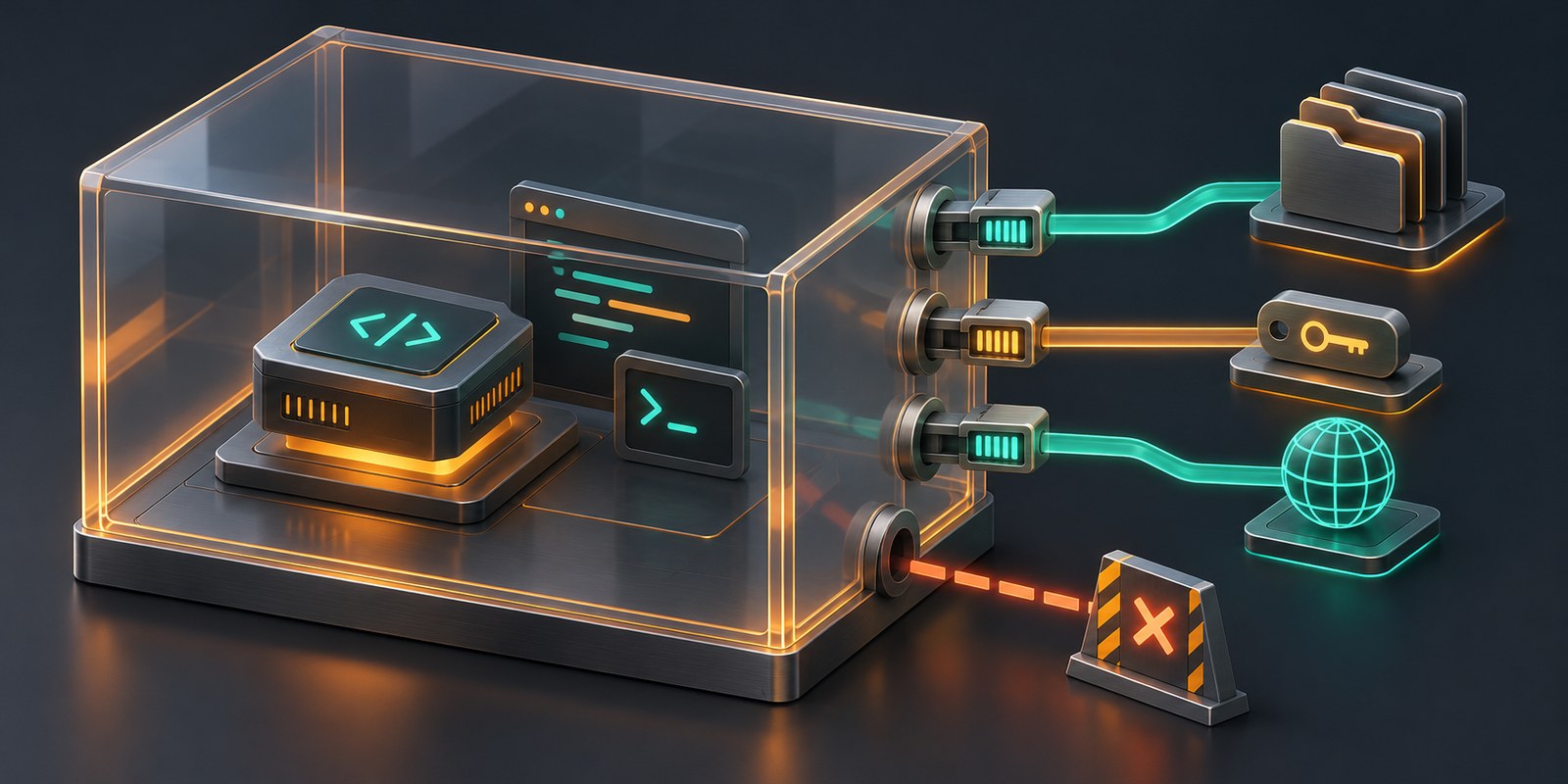
The useful thing about an AI coding agent is not that it can produce text. It is that it can turn text into action: read a repository, install dependencies, run tests, edit files, query an API and push a branch.
That is also where the security problem starts.
A model sitting behind a chat interface has a limited blast radius. An agent connected to a terminal has the authority of the process running that terminal. If it runs as your user on your workstation, its effective reach may include your home directory, SSH agent, browser profile, cloud credentials, GitHub token, Docker socket and internal network. A carefully worded system prompt does not change any of those operating-system permissions.
The right question is therefore not "is this model safe?" It is:
What can the resulting process do when the model is wrong, the repository is hostile, or a tool returns instructions designed to mislead it?
That calls for containment around execution, not more adjectives in the prompt.
The threat model is wider than prompt injection
Prompt injection gets most of the attention because it maps neatly to how agents work. A language model consumes instructions and untrusted data through the same channel. A README, issue comment, web page, document or tool response can all carry text that looks like an instruction to the model.
Direct injection comes from the person talking to the agent. Indirect injection arrives through material the agent retrieves. The second case is more interesting for a coding agent because nobody needs to compromise the chat session. They only need the agent to read something they control.
But prompt injection is a delivery mechanism, not the whole threat model. The same controls matter when:
- the model makes an ordinary mistake and deletes or overwrites the wrong path;
- a dependency install or build script executes hostile code;
- a repository contains a malicious test, task runner or editor configuration;
- an MCP server or other tool integration is compromised;
- a model provider account, agent credential or repository token is abused;
- a legitimate tool is used for an unintended purpose;
- a vulnerability in the agent runtime or sandbox lets code cross a boundary.
The OWASP Agentic AI guidance describes this in terms of excessive agency, tool misuse, credential exposure, supply-chain risk and insufficient isolation. Those are useful categories because they keep the focus on outcomes rather than on whether a model appeared to follow instructions.
A simple threat model for an agent has four assets and four paths:
| Assets worth protecting | Paths an agent may use |
|---|---|
| Source code and local files | File tools, shell commands, editors |
| Credentials and signing keys | Environment variables, config files, agents, credential helpers |
| Internal services and production systems | Network connections, CLIs, MCP tools |
| Other users and workloads | Shared host, shared kernel, shared runner |
If the agent can reach an asset through any of those paths, the model does not need to "escape the sandbox" in a dramatic fashion. It only needs to use an authority you already gave it.
Where the trust boundary actually sits
An agent stack usually looks something like this:
User instructions ─┐
Repository content ├─> Model ─> Proposed tool call
Web/tool output ───┘               │
                                   ▼
                         Approval and tool policy
                                   │
                                   ▼
                            Execution environment
                     ┌─────────────┼─────────────┐
                     ▼             ▼             ▼
                  Files         Processes      Network
                     │             │             │
                     └─────────────┴─────────────┘
                                   │
                                   ▼
                 Host, credentials and external services
The model proposes. The harness decides which tool to invoke. The operating system and infrastructure decide what that invocation can actually reach.
Those layers fail in different ways.
An approval prompt can stop an unexpected command until somebody clicks Allow. A tool policy can deny a particular file operation. A filesystem sandbox can make the same operation impossible even when the harness permits it. A separate VM can reduce the impact of a container escape. None of these controls substitutes for the others.
This distinction matters because "sandbox" is used to describe several very different things:
| Control | What it can do well | What it does not prove |
|---|---|---|
| System prompt or model policy | Discourage unsafe behaviour | That generated code cannot perform the behaviour |
| Human approval | Add review at selected actions | That every dangerous path is prompted, or that approval fatigue will not set in |
| Application tool policy | Restrict known tools and arguments | That another tool or shell path cannot reach the same resource |
| OS sandbox | Restrict syscalls, paths, processes or network access | That allowed credentials and network destinations are safe |
| Container | Separate namespaces, filesystem and resource usage | A hard boundary against every kernel or runtime vulnerability |
| gVisor or Kata Containers | Change the kernel or hardware-isolation trade-off | That mounted secrets, writable volumes and allowed egress are harmless |
| MicroVM or separate VM | Put a virtual-machine boundary around the workload | That services reachable from inside the VM are isolated |
| Separate host and identity | Reduce access to your workstation and primary accounts | That the task itself cannot damage its own inputs or external systems |
A strong design combines them deliberately. A weak design lists them all in a product brochure and assumes the combination is secure.
Approvals are workflow controls, not containment
Approvals are valuable. I want a prompt before an agent force-pushes a branch, changes infrastructure or sends a message as me. For a local development session, asking before an unusual command is often a sensible default.
The mistake is treating the prompt as proof that execution is contained.
First, there may be several ways to achieve the same result. A file-write tool can be guarded while a shell command writes the same file. A browser tool can enforce a URL policy while curl ignores it. An MCP server may run outside the sandbox applied to terminal commands.
Second, command parsing is difficult. Shells have pipelines, substitutions, redirection, aliases, scripts and interpreters. A policy that recognises one command shape may not recognise an equivalent one. Even a good scanner can only enforce the resources and actions it understands.
Third, the thing being approved is not always the thing that executes. npm install, make test and pytest look routine. Their real behaviour depends on repository content and dependencies. Approving a familiar command does not make its child processes trustworthy.
The current harness documentation is unusually clear about some of these limits. OpenCode's permissions guide says its shell runs with the host user's filesystem, process and network authority, and that directory inference from command text is best effort. It recommends a narrow shell allowlist rather than patterns intended to recognise every dangerous command.
Hermes' security guide describes its local terminal backend as having no isolation. Its Docker backend adds namespace isolation and security flags, while its file-operation guards apply to the relevant file tools rather than turning arbitrary shell execution into a safe subset of the shell. Its website access controls similarly need to be tested separately from outbound access initiated by terminal commands.
These are not shortcomings unique to those projects. They are examples of a general rule: know which code path enforces a control, and which other code paths bypass it.
Read the effective sandbox configuration, not the label
Two products can both show "sandbox enabled" while producing very different security postures.
VS Code's agent sandbox documentation is a useful example. At the time of writing, its documented defaults include outbound network access, access to common developer-tool configuration and caches, Git and GitHub CLI authentication, and the ability to request unsandboxed commands after confirmation. Local-network access is off by default. The same document explains how to narrow these settings and inspect the effective policy.
None of those defaults is irrational. A coding agent often needs package registries, Git, build caches and a way to handle operations that do not fit the sandbox. But convenience and containment pull in opposite directions. If a task does not need GitHub authentication, registry tokens or general internet access, carrying them into the sandbox increases the consequences of a bad tool call.
Before trusting an agent environment, inspect:
- the execution host and operating-system user;
- readable and writable paths, including implicit developer-tool grants;
- inherited environment variables and credential helpers;
- network and local-network policy;
- MCP servers, language servers and other child processes;
- the circumstances in which the agent can request execution outside the sandbox;
- whether approvals persist for a command, session, project or user;
- what happens to the environment and credentials after the task ends.
The effective policy matters more than a single sandbox: true setting.
Containers are useful, but they are not a complete answer
A disposable container is a good baseline for many coding-agent tasks. It gives you a separate filesystem, a controlled set of installed tools, resource limits and an environment you can destroy. It also makes the build reproducible, which is useful independently of security.
A conventional Linux container still shares the host kernel. Its boundary depends on namespaces, capabilities, seccomp, LSM policy, mounts, devices and runtime configuration. A broad mount or an over-privileged container can undo much of the benefit before kernel exploitation enters the discussion.
The usual self-inflicted problems are familiar:
- mounting the whole home directory or host root;
- mounting the Docker socket;
- running as root with broad capabilities;
- using
--privilegedto make a build problem disappear; - forwarding every environment variable, including unrelated cloud and model-provider keys;
- giving the container unrestricted access to the LAN and cloud metadata services;
- leaving long-lived credentials in an image or persistent volume.
The Docker socket deserves special attention. Access to it commonly allows creation of new containers with host mounts and elevated privileges. Mounting it into an agent container to support Docker-based builds can therefore expose the host, even when the original container has a restrictive policy.
There is also a distinction between preventing interference with the host and preventing harm through allowed interfaces. A perfectly isolated container with a production API token and unrestricted egress can still damage production.
For workloads that need a stronger boundary, the main options make different trade-offs:
- gVisor intercepts application system calls in a user-space kernel and implements much of the Linux surface itself, reducing direct exposure to the host kernel. Compatibility and performance depend on the workload.
- Kata Containers runs containers inside lightweight virtual machines, adding hardware virtualisation isolation while retaining container-style workflows.
- Firecracker provides a minimal virtual machine monitor for microVMs, with a deliberately small device model and a jailer for additional process isolation. It is a building block rather than a complete agent platform.
- A conventional VM or separate physical host is operationally heavier, but easy to reason about and integrates with existing network, identity and snapshot controls.
None is magic. A microVM with your home directory shared into it and unrestricted network access can still leak everything you made available. The stronger boundary primarily addresses escapes from the execution environment. It does not fix excessive authority inside it.
Network egress is part of the filesystem policy
If an agent can read a secret and make an arbitrary outbound connection, those two permissions combine into data exfiltration. It does not matter that the file tool was read-only or that no host files were modified.
An agent sandbox should therefore treat network access as a first-class capability. Start with the destinations the task needs, which might be a model endpoint, a Git host and a small set of package registries. Deny everything else where practical. Consider internal address space, loopback services, link-local metadata endpoints and redirects, not just public websites.
Domain allowlists need care as well. A permitted code-hosting or package domain may provide storage, redirects or user-controlled content. DNS names can resolve differently over time. A proxy sees only the information available at its enforcement layer. These are reasons to test the actual egress path and minimise credentials, not reasons to abandon network policy.
For some tasks the right answer is simpler: no network after dependencies have been fetched. A test run against a local repository often needs much less connectivity than the initial setup.
Also remember that blocking exfiltration is not the only goal. Network policy limits the agent's ability to scan the LAN, call internal admin interfaces, use cloud instance credentials or change external systems. Read access to an API can be as sensitive as shell access to a file when the API has side effects.
Give the agent a disposable identity
The safest credential is the one the environment does not contain.
For a coding task, avoid passing through your general workstation identity. Do not mount .ssh, cloud CLI configuration, browser profiles, password-store directories or credential sockets unless the task explicitly requires them and you accept the consequences. Keep the model-provider key used by the harness separate from credentials available to commands it runs.
Where external access is necessary, prefer an identity that is:
- dedicated to the agent or task;
- limited to one repository, project or service;
- read-only unless writing is essential;
- unable to change repository or organisation settings;
- short-lived and straightforward to revoke;
- visible in logs so actions can be attributed correctly.
A token can be scoped perfectly and still be dangerous if the sandbox has unrestricted egress and an agent can print it. Secret injection should ideally happen at a proxy or request boundary, so the model and arbitrary child processes never see the raw value. Where that is not possible, reduce token lifetime and privilege and treat every readable secret as potentially exposed.
Git needs the same treatment as the shell. Read access to a repository does not imply permission to push. Permission to push a branch does not imply permission to approve a pull request, modify Actions workflows or create a release.
A practical architecture for different tasks
There is no single sandbox profile that fits every agent workload. I would use at least four.
1. Research and summarisation
Use retrieval and reading tools without a general shell. Give the agent no local credentials and no write access to source repositories. Restrict retrieval destinations where possible, treat retrieved content as data, and require a separate controlled action for anything that publishes or sends the result.
This is the easiest case because the agent does not need a general-purpose execution environment.
2. Routine coding in a known repository
Use a fresh container or lightweight VM with a non-root user. Mount only the task repository read-write. Keep the host home directory, Docker socket and unrelated credential stores absent. Apply CPU, memory, process, disk and time limits. Permit only required Git, package and model endpoints. Use a repository-scoped token with no administration rights, and do not provide push access until the task actually needs it.
Keep the workspace disposable or snapshot it before the run. Review the resulting diff outside the agent environment.
3. Untrusted repositories, dependencies or generated code
Prefer an ephemeral VM or microVM on infrastructure with no access to your workstation, production network or primary cloud identity. Fetch dependencies through controlled infrastructure where possible. Do not mount host directories for convenience. Give the task no reusable secrets, collect the required artefacts, then destroy the environment.
A stronger kernel boundary is worth more here because executing unknown code is the task, not an accidental side effect.
4. Production operations
Avoid giving a general shell and hoping an approval prompt will make it safe. Expose narrow actions through purpose-built tools with explicit parameters, server-side authorisation, rate limits and audit logs. Use dry runs where the underlying system supports them. Require independent approval for destructive changes, and make the executing identity separate from both the developer and the model provider.
The sandbox still matters for the agent process, but the main control is the authorisation boundary around each operation.
Test the sandbox from the inside
A configuration review is necessary, but it is not enough. Run a standard evaluation suite against every agent image, harness profile and major configuration change. Use canary resources rather than real secrets or production systems.
The tests should answer these questions:
| Area | Test | Expected result |
|---|---|---|
| Identity | Inspect user, groups and privileges | Non-root, no unexpected group or capability |
| Filesystem reads | Read a canary outside the workspace | Denied |
| Filesystem writes | Write outside the allowed workspace and to system paths | Denied |
| Path handling | Test symlinks and relative paths across the workspace boundary | No access outside the policy |
| Host control | Check for container runtime sockets, host mounts and privileged devices | Absent |
| Processes | Inspect visible processes and attempt cross-boundary signalling | Only intended processes visible and reachable |
| Credentials | List inherited environment, credential files, agents and helpers | Only task-required credentials present |
| Local network | Connect to canary services on loopback, the host and LAN | Denied unless explicitly required |
| Cloud metadata | Attempt the relevant metadata addresses | Denied |
| Public egress | Connect to allowed and denied destinations | Only intended destinations work |
| Alternate tools | Repeat file and network tests through shell, MCP and other available tools | Policy is consistent across paths |
| External actions | Attempt repository writes or API changes with a test identity | Denied unless explicitly granted |
| Resource limits | Exercise bounded CPU, memory, process and disk tests | Limits contain the workload |
| Persistence | Stop and restart the environment | No unintended process, credential or state survives |
| Logging | Run benign allowed and denied actions | Decisions and outcomes are attributable without logging secrets |
The alternate-tool row is particularly important. A denied file read through one tool is not persuasive if the shell can read it. A blocked browser URL is not an egress policy if a terminal command can reach the same address.
Test failure behaviour too. If the sandbox cannot start its proxy, resolver, policy service or filesystem filter, does execution fail closed or continue without the restriction? If a command is denied, can the agent simply request an unsandboxed retry? If the user approves one exception, how broadly and for how long does it apply?
For shared or production systems, these checks belong in CI and in periodic operational testing, alongside runtime and dependency updates. Isolation mechanisms change, and agent harnesses tend to add capabilities quickly.
Logs, revocation and the end of the task
Containment reduces impact. It does not remove the need to detect and respond to misuse.
Useful agent logs include the task and session identity, executing identity, working directory, tool invocation, policy decision, external destination and resulting change. Record enough to reconstruct what happened without building a second secret store out of the logs. Shell output, web pages and repository content can all contain credentials or personal data.
The end of a task should be an explicit security event:
- stop remaining processes and MCP servers;
- revoke or expire task credentials;
- remove temporary network rules and access grants;
- export only the required artefacts and diff;
- destroy or reset the execution environment;
- inspect external actions that used the agent identity.
Persistent workspaces are convenient for long-running development, but they also preserve poisoned configuration, unexpected processes and credentials that should have expired. If persistence is necessary, separate the durable project data from the disposable execution image.
The model is not the security boundary
Running an open-weight model locally does not make an agent safe. Using a commercial model with strong refusal behaviour does not make it unsafe to add a sandbox. The model can influence the quality of proposals and the likelihood of following instructions, but once arbitrary code executes, operating-system and infrastructure controls determine the blast radius.
My default position is straightforward:
- treat model output as untrusted input to a privileged system;
- give the agent the smallest toolset that can complete the task;
- put execution in a disposable environment appropriate to the workload;
- mount only required files and use a separate, limited identity;
- control egress as carefully as filesystem access;
- use approvals for consequential actions, not as the only containment;
- test the effective policy through every available execution path.
The aim is not to prove that an agent can never make a mistake. It is to make a bad instruction, hostile repository or compromised dependency an ordinary contained failure rather than a workstation, credential or production incident.
That is a property of the system around the model, not of the model's manners.